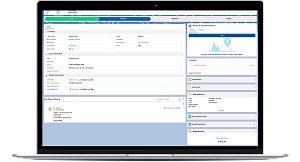
I designed an intuitive interface for a Salesforce-based call center application, improving agent efficiency.
The legacy system was outdated and unable to support modern capabilities like mobile access, leaving both participants and call center agents with slow, manual processes.
Methodologies
Lean UX
Journey Mapping
Prototyping
Task Mapping
Timeline
18 months to MVP release
Tools
Adobe XD
Salesforce
SAFe
Overview
Problem
The Thrift Savings Plan relied on an outdated online system that lacked modern capabilities like mobile access and flexible investment options. As a result, participants were increasingly withdrawing funds, while call center agents struggled with fragmented, manual workflows to support participants.
Goal
Design a modern, flexible, and secure call center platform that streamlines transactions, automates manual processes, and provides a consistent, intuitive experience for both agents and participants.
DISCOVERY
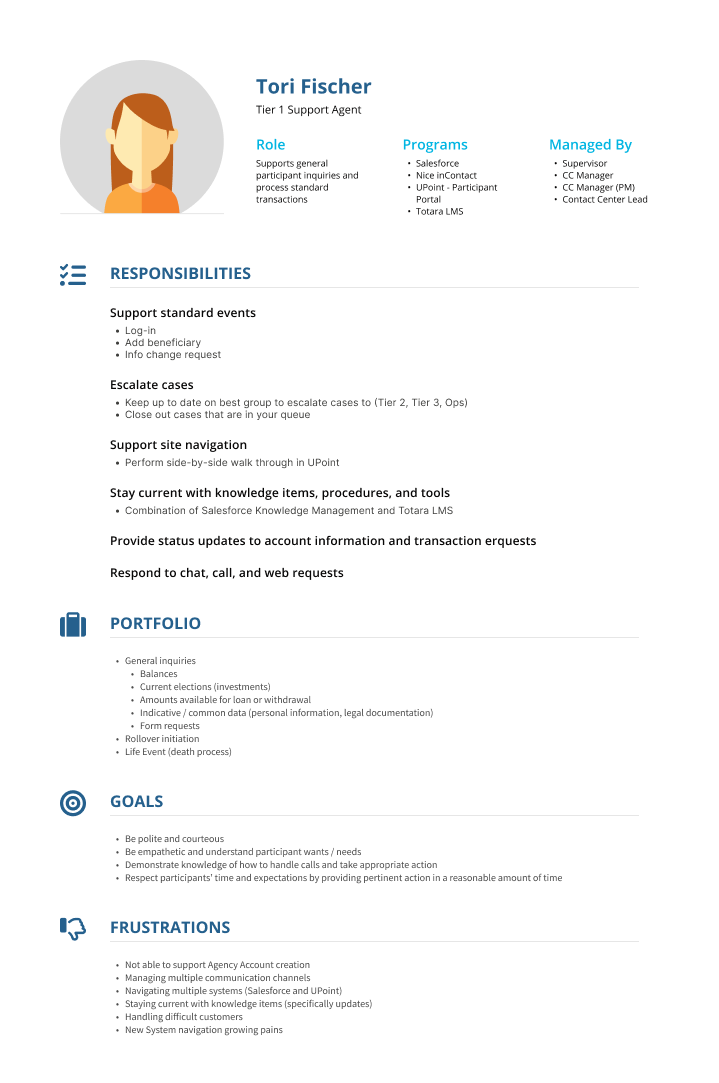
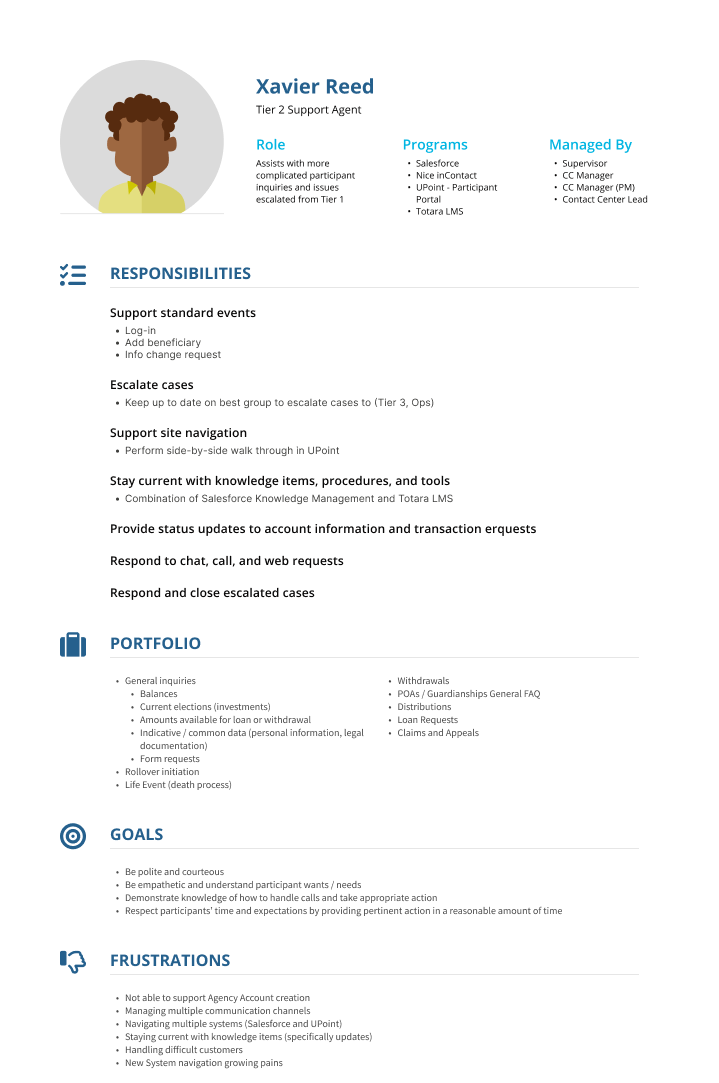
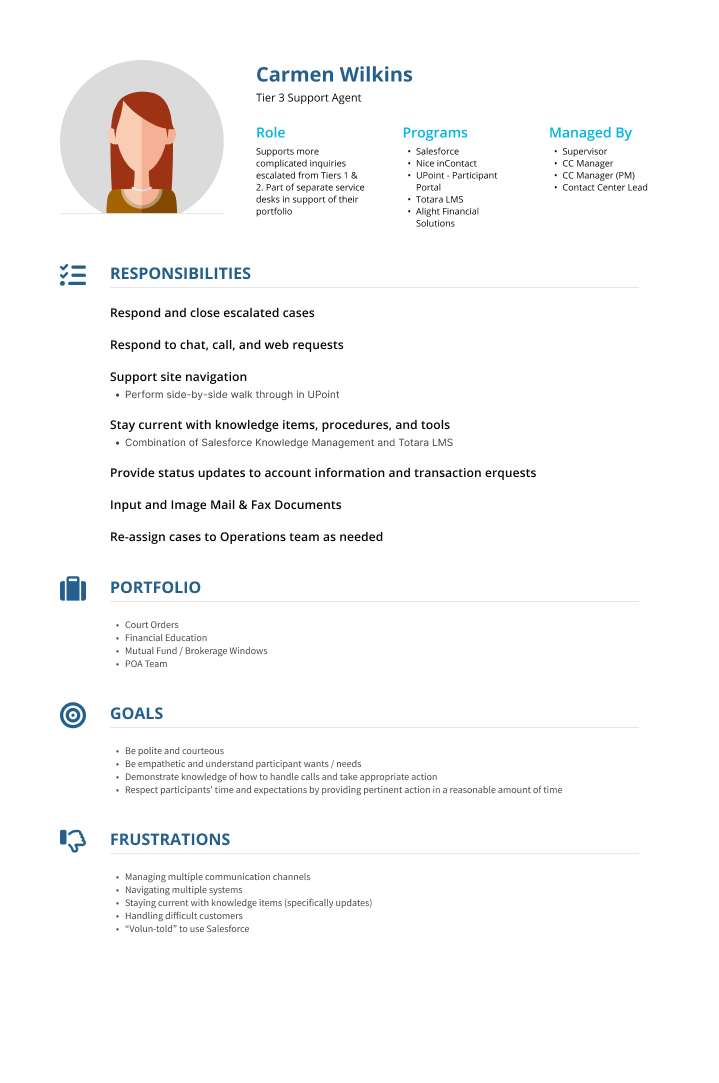
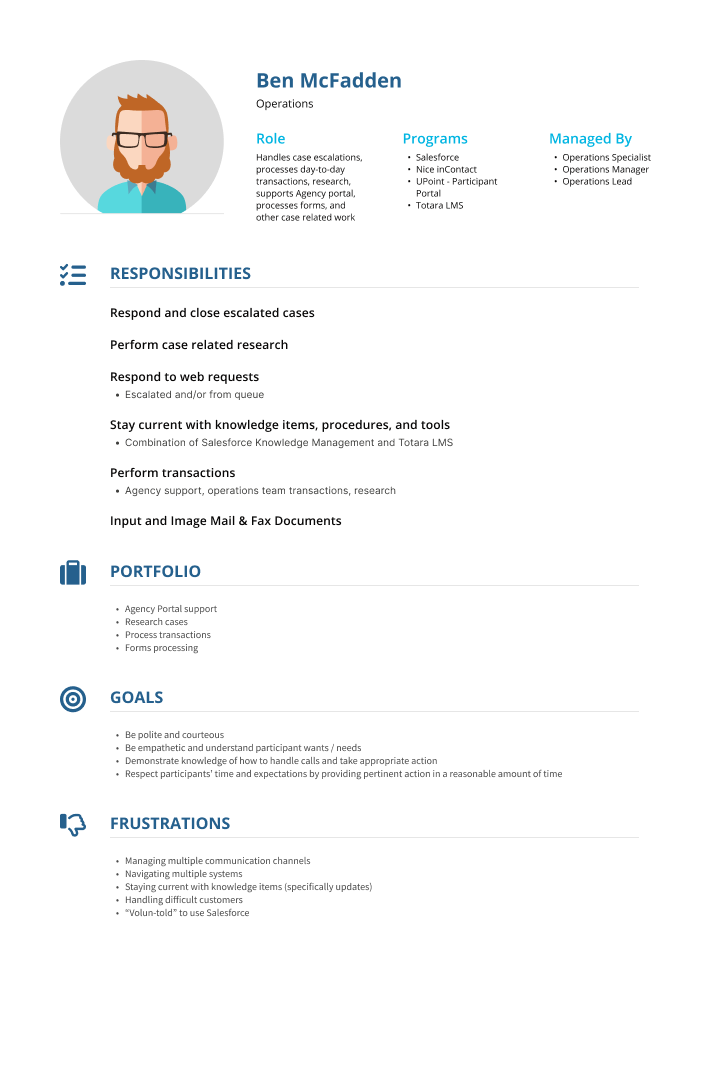
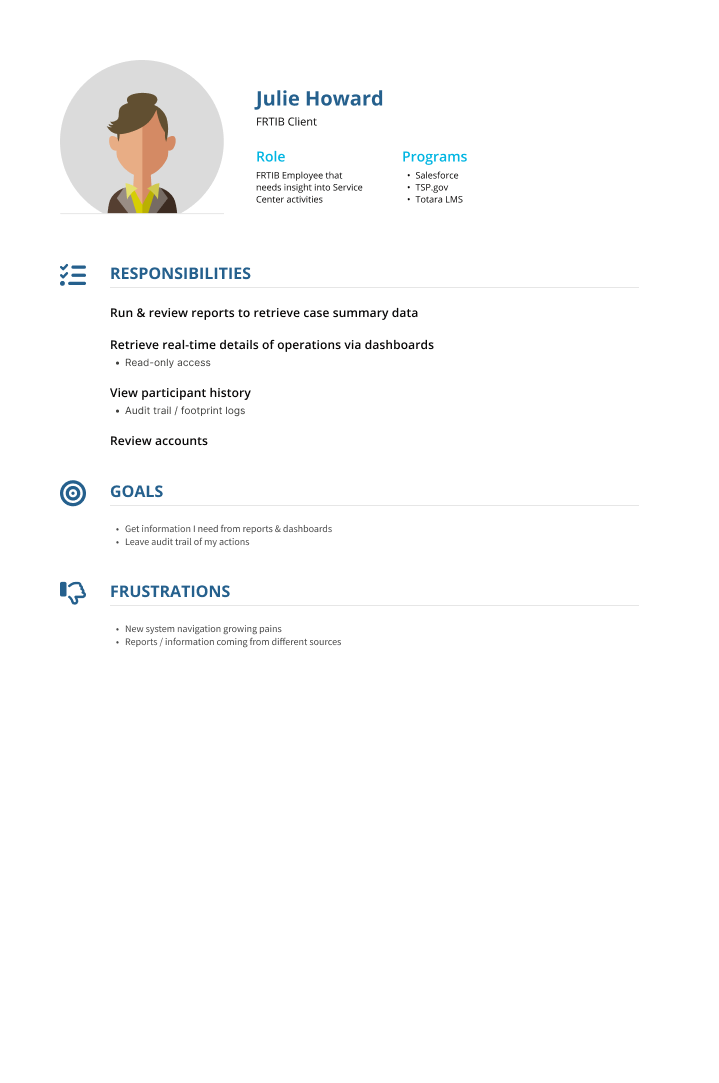
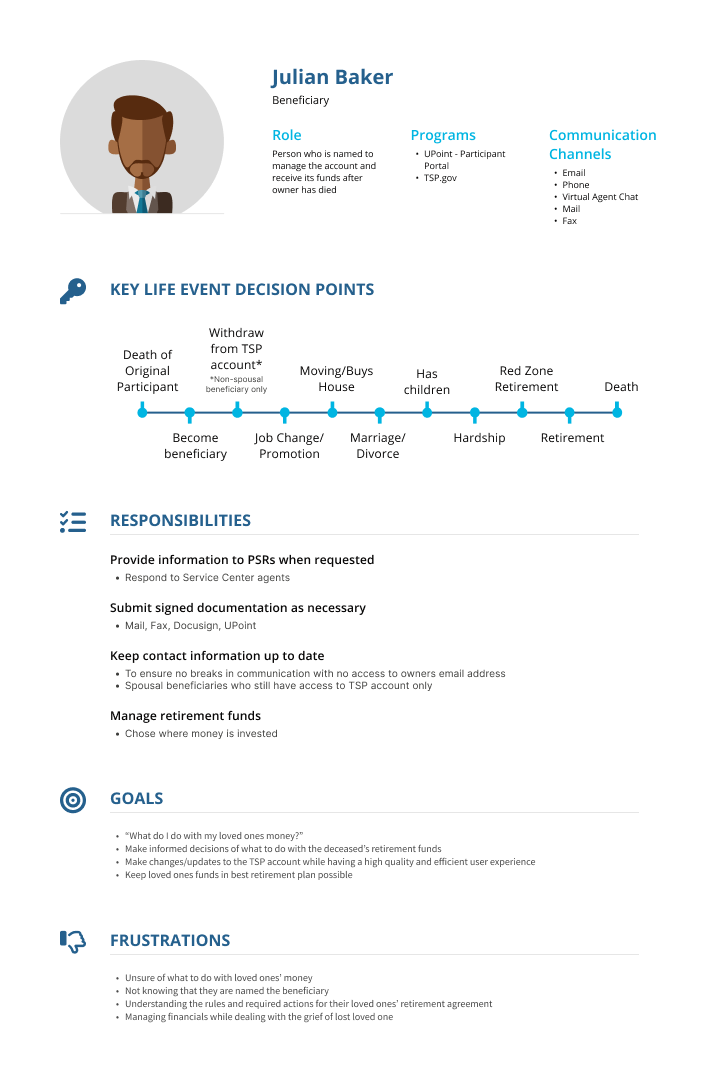
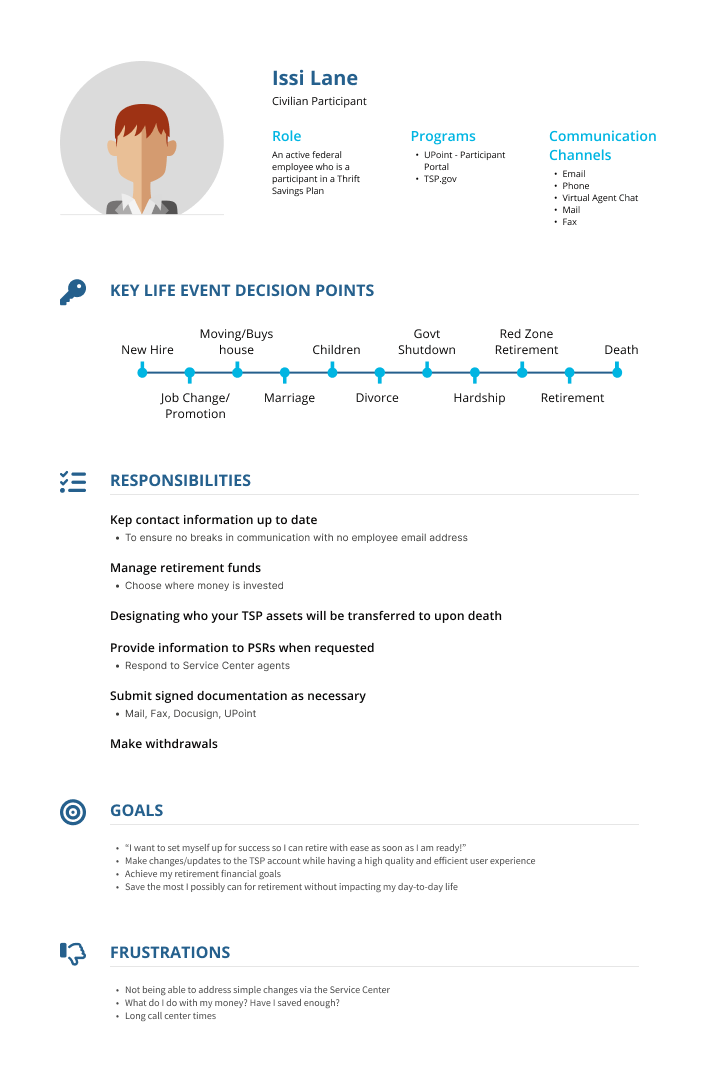
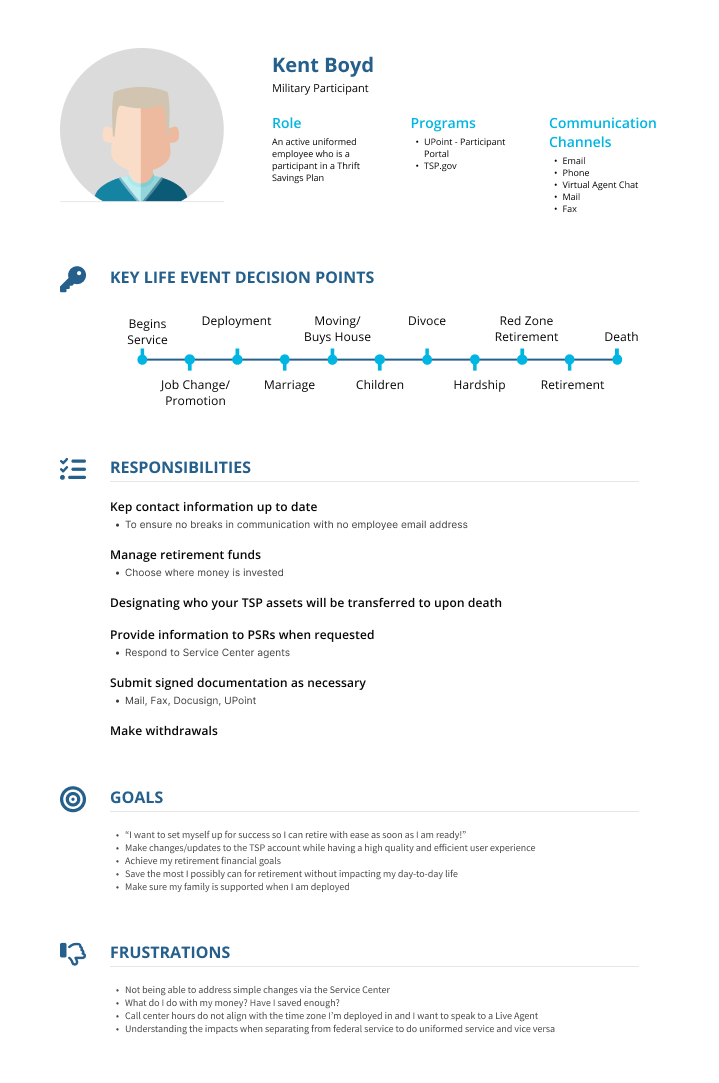
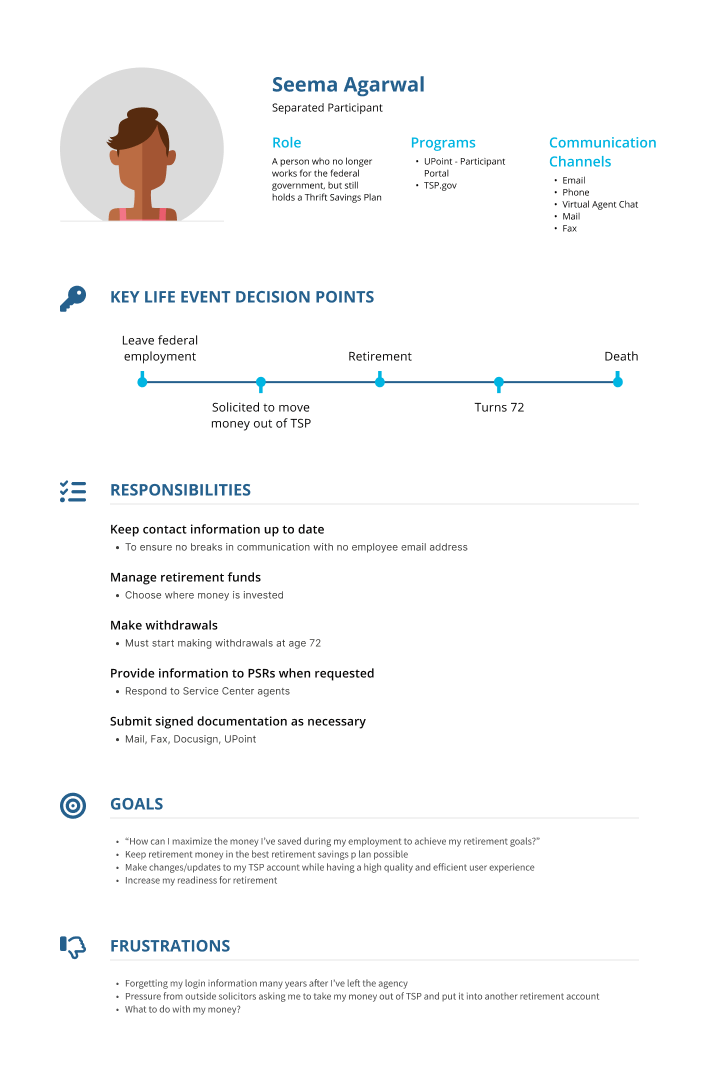
Proto-Personas
Creating lightweight proto-personas helped me to ground discussions in user needs early, before investing in deeper research, and ensured design decisions reflected real-world scenarios.

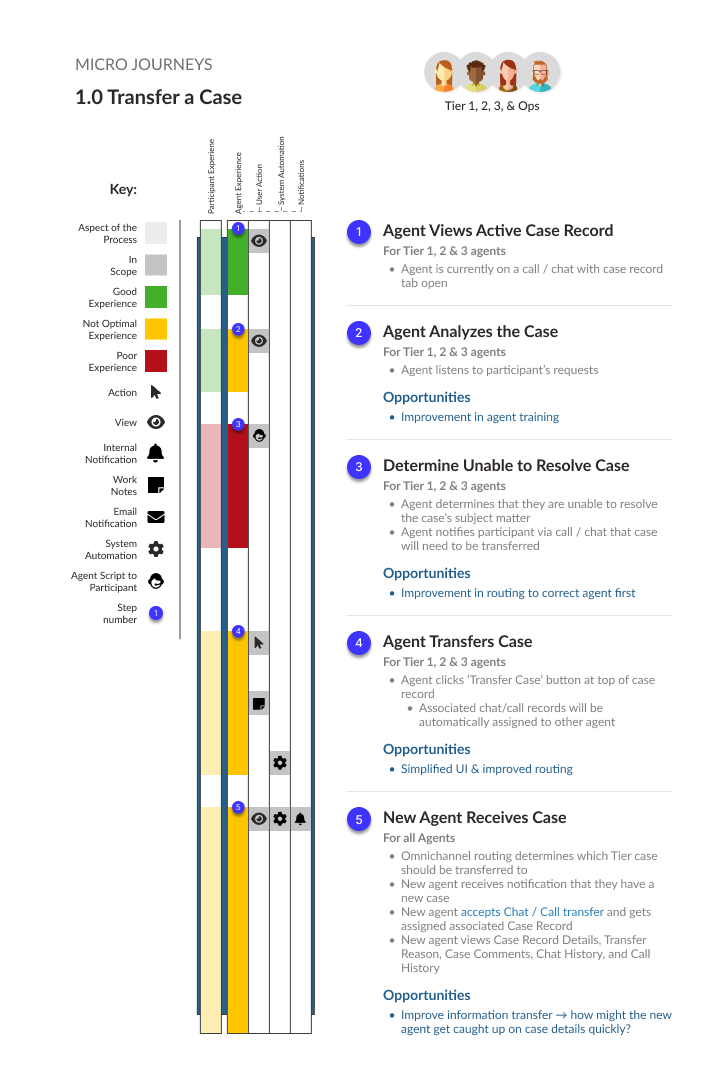
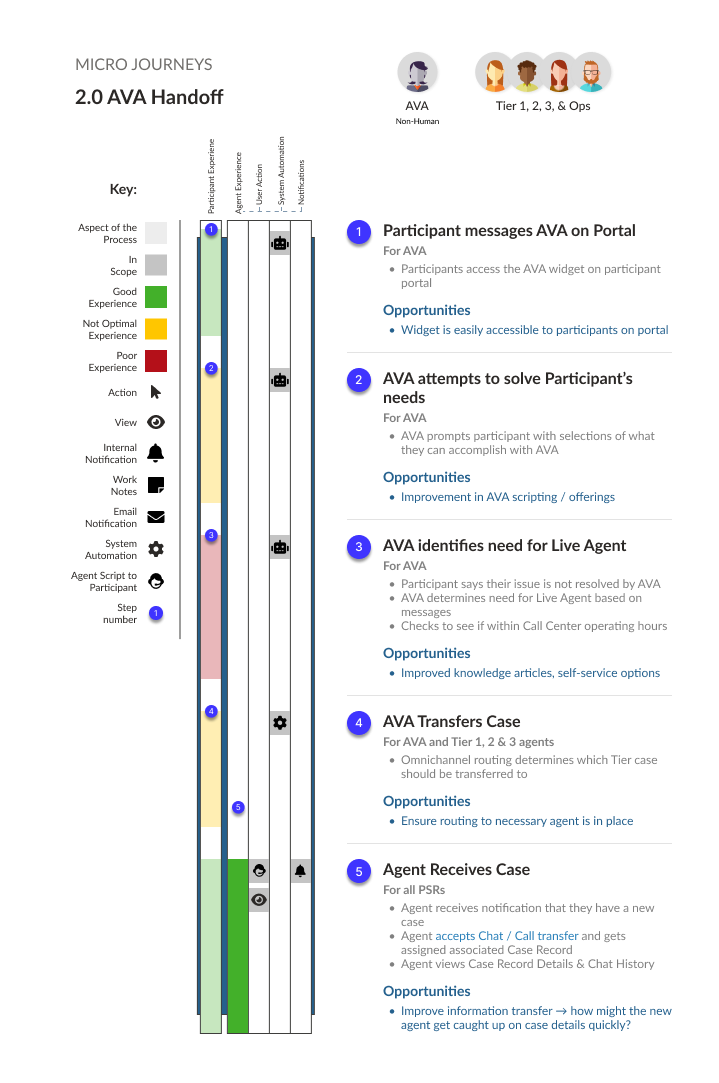
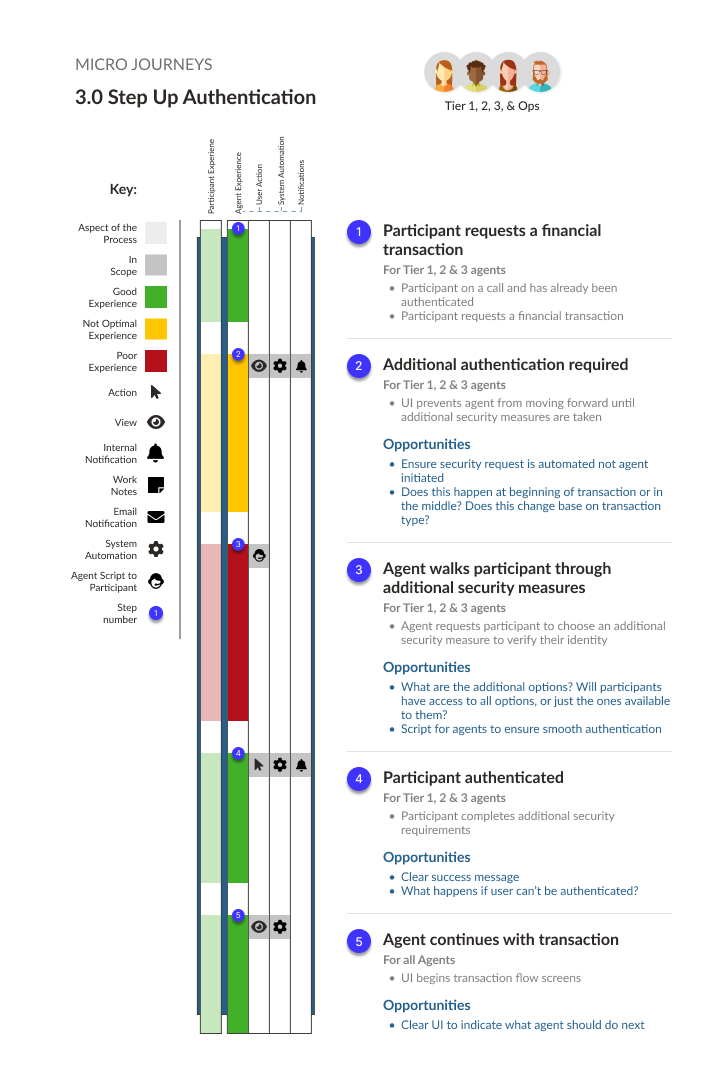
Mico Journeys
I created micro journeys to zoom in on critical user interactions, uncover friction points, and highlight opportunities to improve workflows
Jobs-to-be-Done Analysis
By using a Jobs-to-Be-Done framework, I clarified not only what users needed to do but also why, providing a basis for prioritizing design efforts.

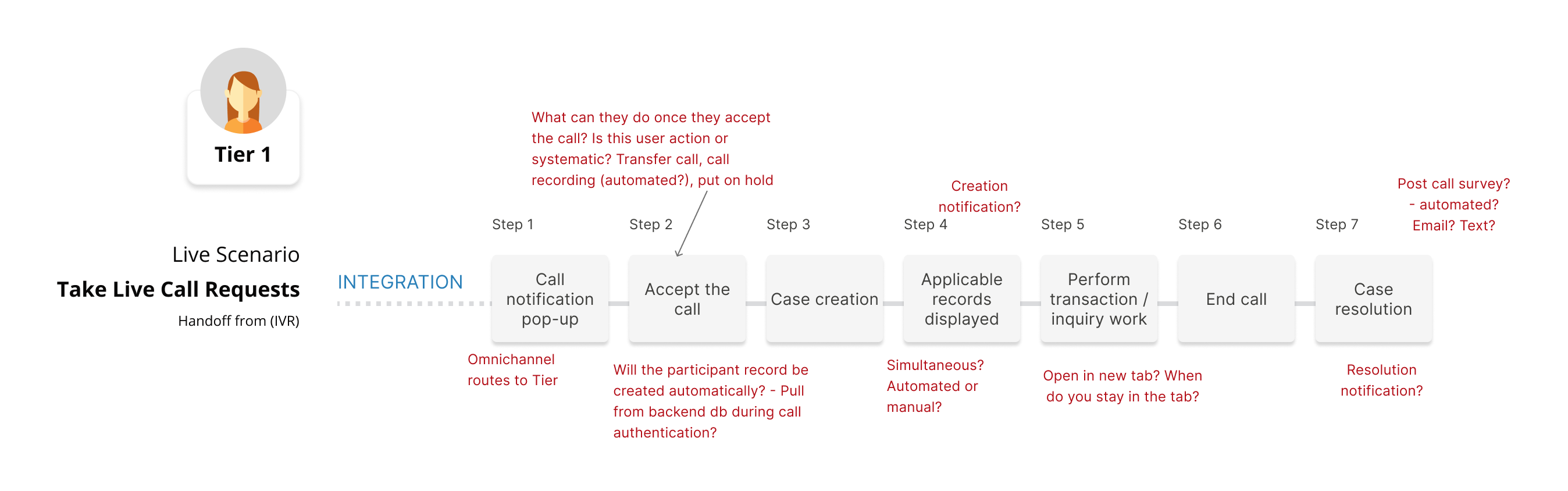
A closer look at an action mapping flow:
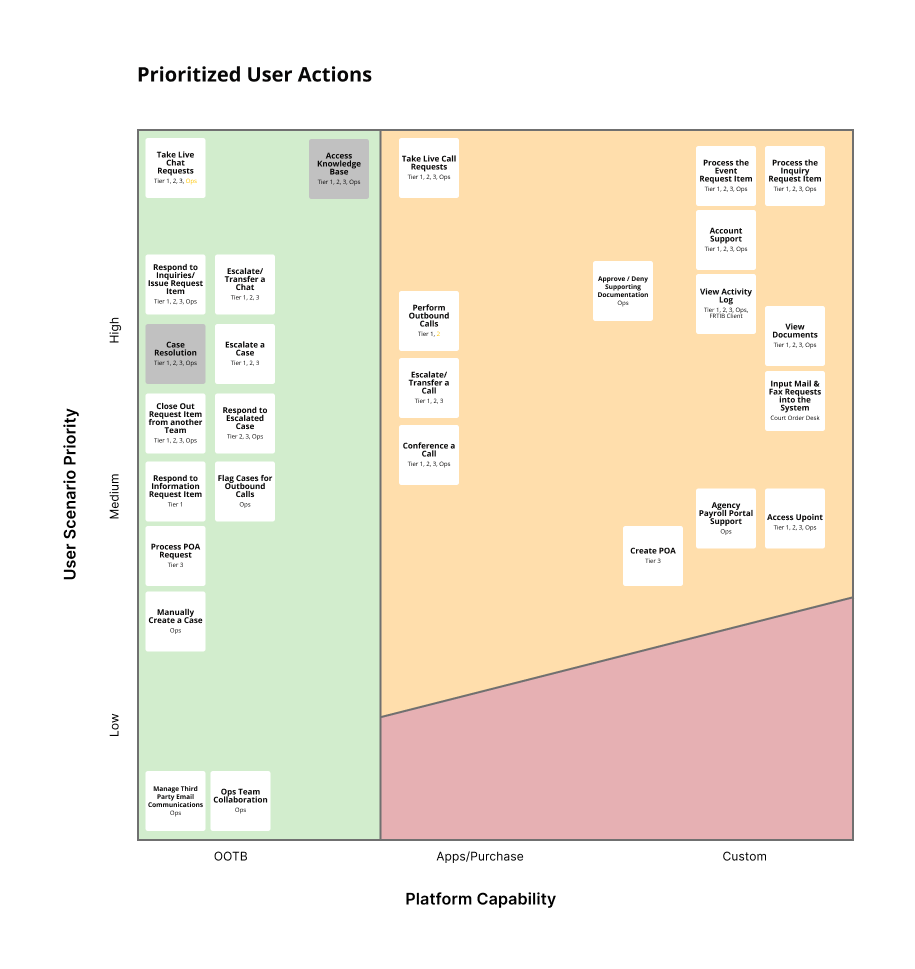
Feature Prioritization & Roadmap Planning
Partnering with the solution delivery manager, we translated jobs-to-be-done into SAFe epics and features, prioritized them by effort and impact, and defined the MVP, backlog, and product roadmap.
DESIGN
To accelerate the design process, I developed standardized record templates for cases, accounts, and transacitions.
By establishing consistent patterns, we reduced duplication and visual clutter, standardized the user experience across complex scenarios, and accelerated collaboration with development teams, ensuring smoother handoffs and faster delivery.

User Account Record Template
- Participant information → Most important information kept at the top for visibility
- Accounting information → Grouped for quick scanning
- Popovers reduce visual clutter → Reduce cognitive load by hiding less critical data
- Alerts → Use visual hierarchy to draw attention so agents can act quickly and effectively
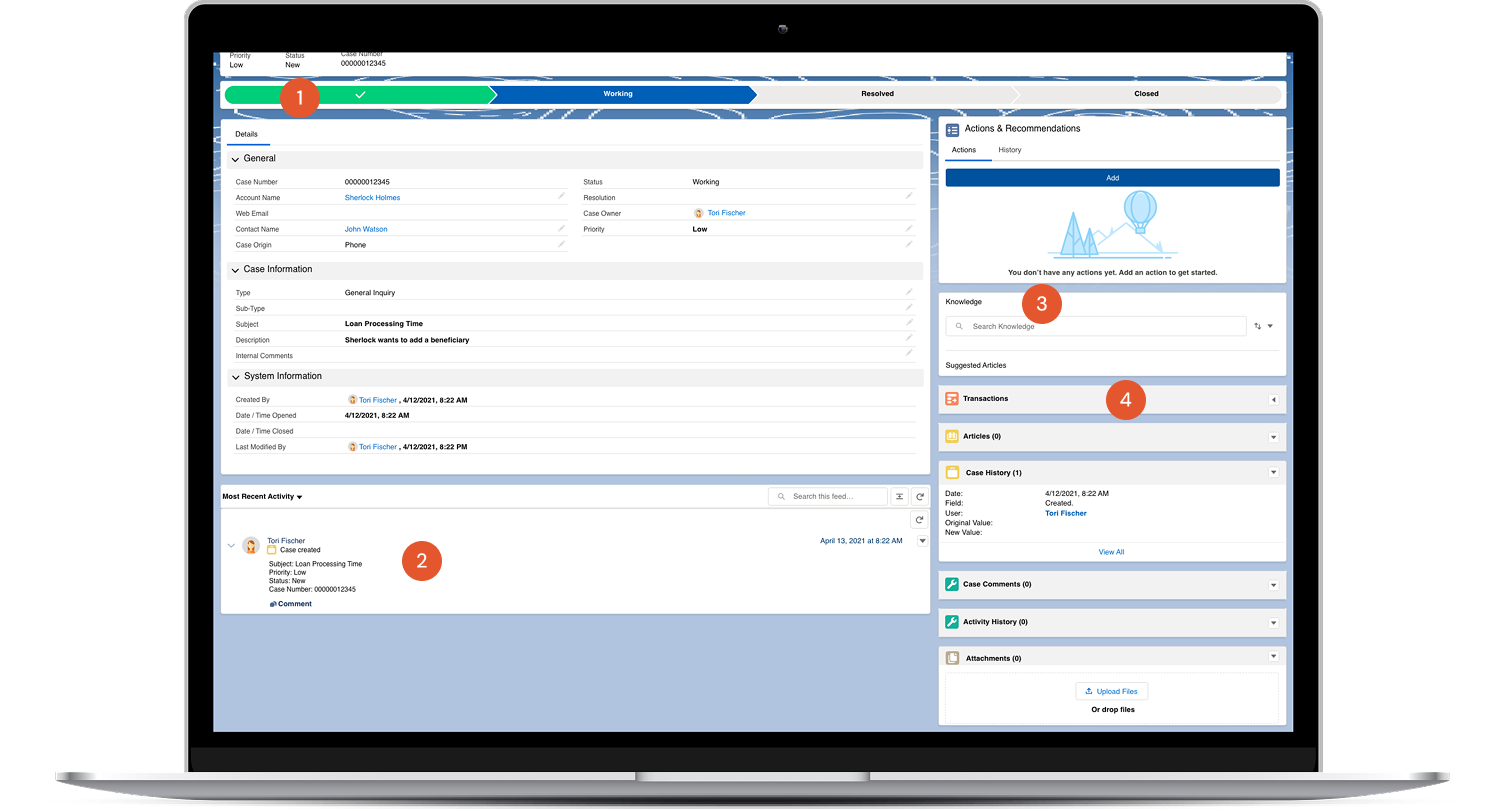
Case Record Template
- Chevron stage tracker → Keeps agents oriented & motivated
- Activity Log → Recognition over recall of case history
- Knowledge Base access → Reduce cognitive load by having guides handy
- Transactions widget → Easily start a transaction if requested
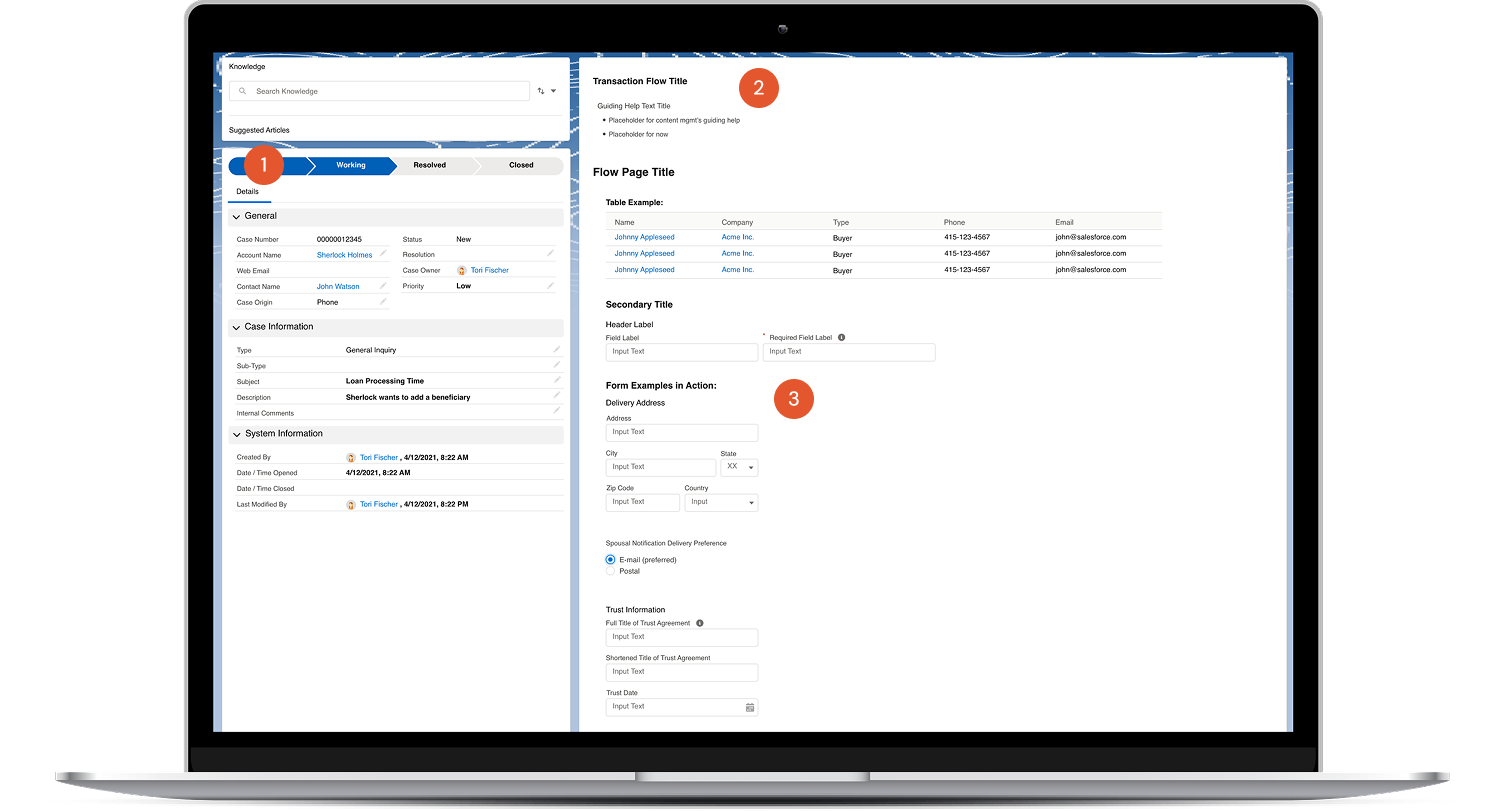
Transaction Record Template
- Case information → Agent doesn't have to click back and forth between tabs
- Guiding UX Copy → Reduces errors by clarifing required actions and helpful hints
- Form Style Guide → Ensures consistency across pages and speeds up delivery
Process in Action
Crafting a strategy to design for 30+ transactions
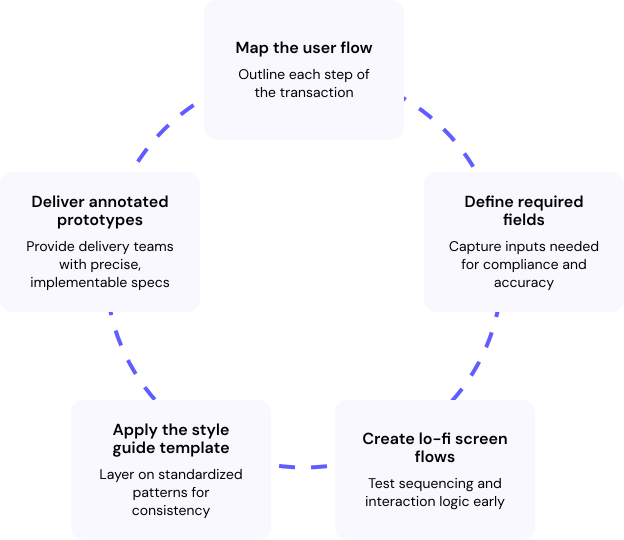
Strategy in Action: User Authentication
A crucial goal was to protect sensitive financial data while keeping the process efficient enough to reduce call times and agent strain. By applying progressive disclosure and surfacing the most critical fields first, we struck a balance between security, speed, and trust.
1. Mapping the user flow
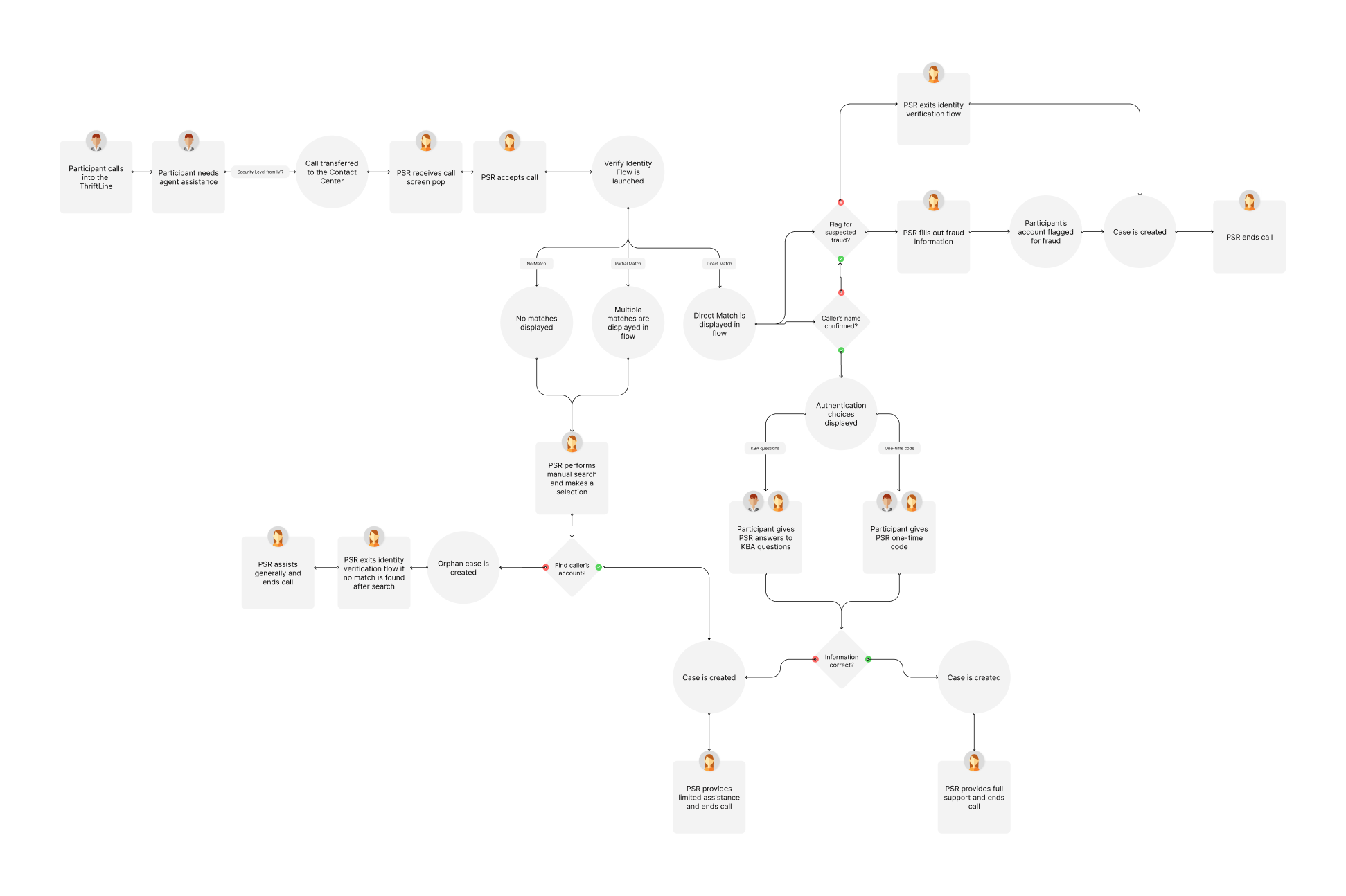
2. Define required fields
I worked with the security team to define the fields required to verify participant identity across call scenarios:
- Knowledge based questions
- One-time passcodes
- Account lookup
3. Create lo-fi screen flows
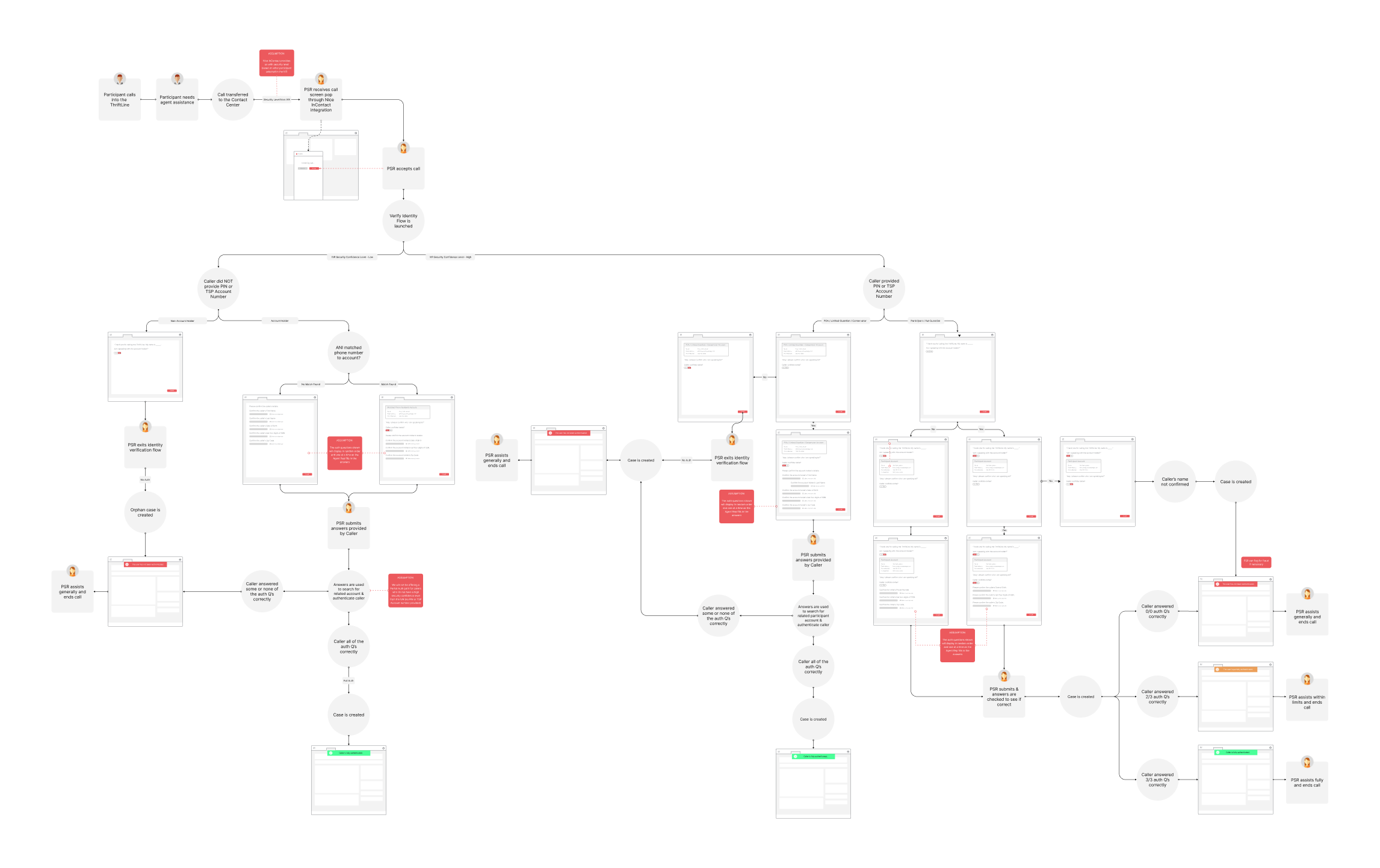
4. Increase fidelity & test flows
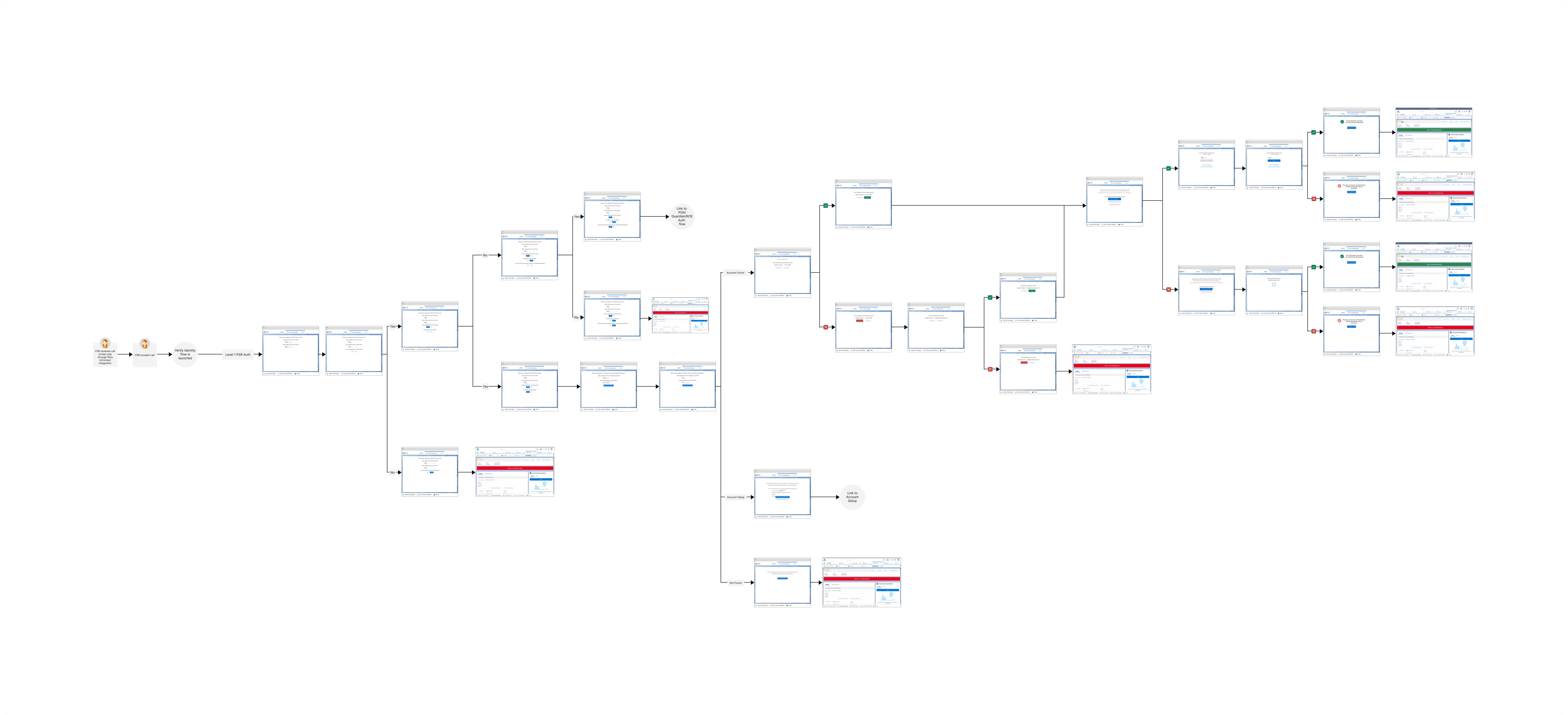
5. Deliver annotated prototypes
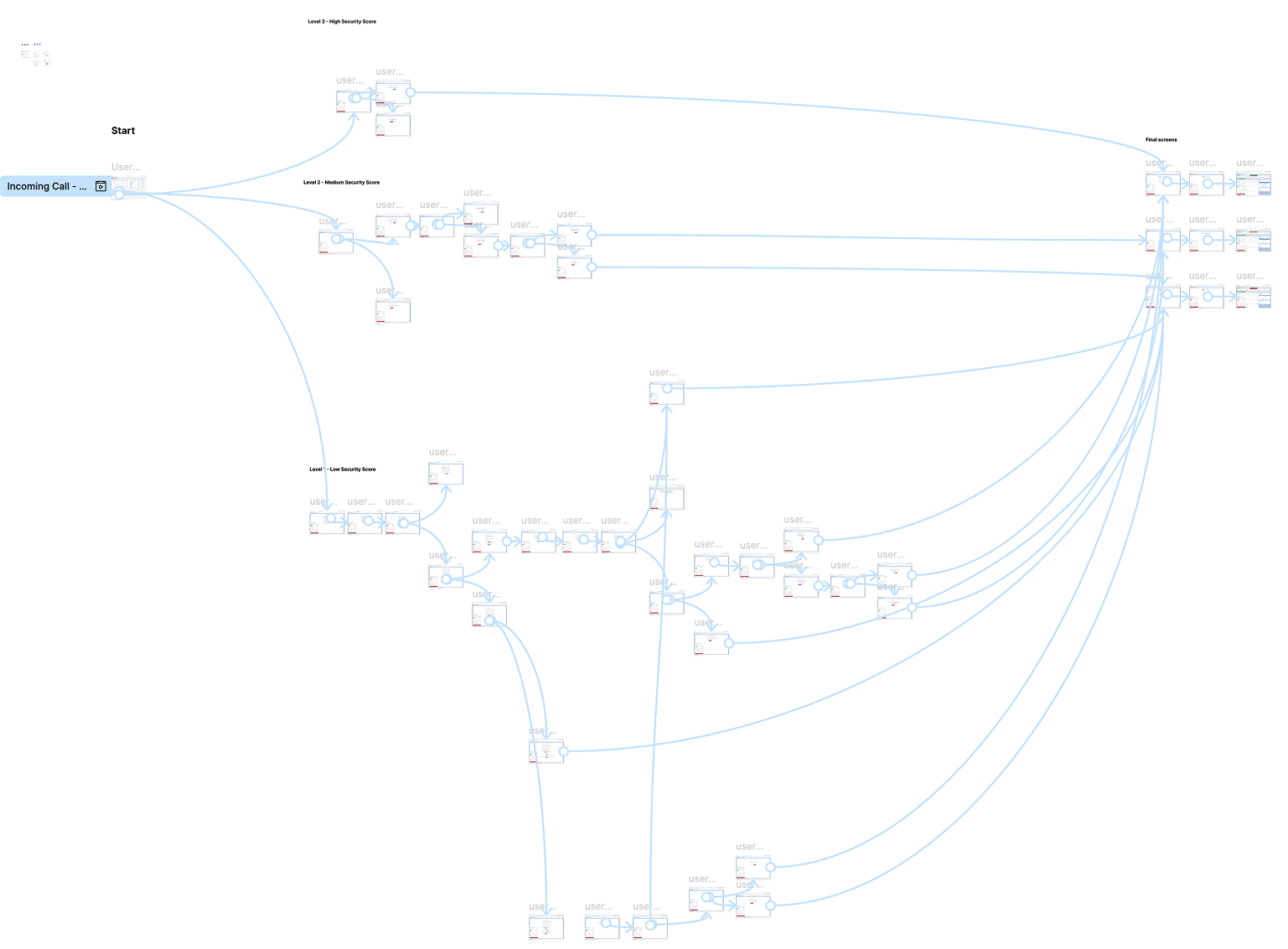
OUTCOMES
Go-live on June 1, 2022 put our designs to the test.
With call volumes 6x higher than forecasted, go-live did not go as anticipated. Despite the strain, the workflows and prototypes I created gave agents structure in the chaos.
LESSONS LEARNED
Agent experience drives participant experience
Improving call center tools reduced errors, call times, and downstream participant friction.
Templates accelerate consistency and adoption
Standardized patterns reduced variation and improved learnability.
System flexibility must be intentional
Leveraging native Salesforce components with some custom helped balance consistency with specific workflow needs.